

 Melo Villareal
NCAP Online Payment Guide 2026: How to Check Violations and Settle Traffic Fines
Motorists in the Philippines can check and settle certain No Contact Apprehension Policy (NCAP) violations online through official government portals. Depending on the issuing authority, payment options may include GCash, Maya, online payment gateways, and other authorized digital channels.
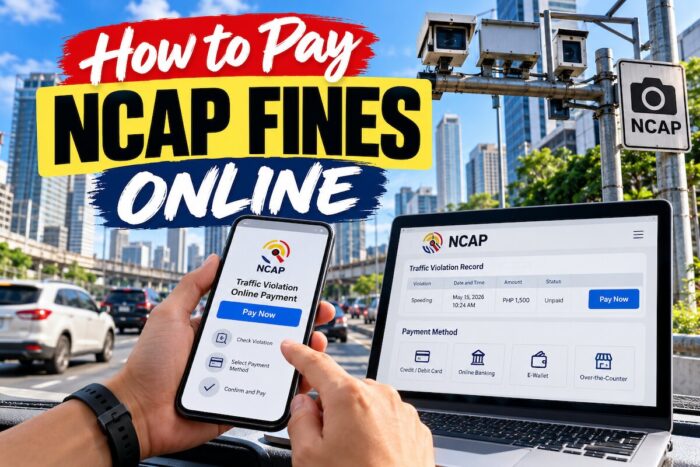
How to Pay NCAP Fines Online
The Metropolitan Manila Development Authority (MMDA) operates the May Huli Ka portal, which allows motorists to check NCAP records and access payment and contest procedures. Quezon City also maintains its own NCAP verification system and online payment service.
However, no single payment process applies to every city. Motorists must identify the agency or local government unit that issued the citation before paying a fine.
This guide explains how to check NCAP violations, verify the amount due, pay through available online channels, contest an incorrect citation, and protect personal and financial information from payment scams.
What Is NCAP?
The No Contact Apprehension Policy uses cameras and other digital technologies to record potential traffic violations without requiring a traffic enforcer to stop the driver at the scene.
Depending on the implementing authority, these systems can capture violations such as disregarding traffic signals, crossing designated lines, or violating applicable traffic restrictions.
When a system records a suspected violation, the responsible agency processes the evidence and issues a Notice of Violation (NOV) according to its procedures.
Receiving a notice does not mean that a motorist should immediately pay through a link in a text message. First, verify the record on an official government website or app.
How to Check NCAP Violation
Before paying an NCAP fine, confirm that the citation exists and belongs to your vehicle.
Step 1: Identify the issuing authority
Check the Notice of Violation, if you received one, to identify the agency or city that issued it.
Possible authorities include the MMDA and participating LGU traffic enforcement systems. The issuing authority determines which portal, payment channels, and appeal procedures apply.
Do not assume that every traffic citation in Metro Manila appears in the same database.
Step 2: Visit the official MMDA May Huli Ka portal
For MMDA NCAP records, visit:
https://mayhulika.mmda.gov.ph/
The portal provides a search facility for vehicle violations. Depending on the information available, motorists can search using the plate number and motor vehicle file number or the plate number and ticket number.
Enter the required details carefully. Check the vehicle information and any violation record returned by the system.
Step 3: Check Quezon City NCAP records separately
For violations issued under Quezon City’s NCAP program, visit:
https://nocontact.quezoncity.gov.ph/
Select the option to check for violations and provide the requested vehicle information. Quezon City’s official instructions indicate that motorists can use the vehicle’s plate number together with the motor vehicle file number or Notice of Violation number.
Quezon City also provides an online payment process through QC eServices.
Official instructions: https://quezoncity.gov.ph/qcitizen-guides/how-to-verify-and-pay-for-qc-ncap-violations/
Step 4: Review the citation details
Before proceeding to payment, carefully review the available information.
Confirm the following details:
- Vehicle plate number and identifying information; carefully review the citation/ticket and time of the alleged violation
- Location of the incident, if provided
- Type of traffic violation
- Fine amount and payment status
- Available photographs, video evidence, or other supporting records
If any information appears incorrect, contact the issuing authority or use its official contest procedure before paying.
How to Pay MMDA NCAP Fines Online
Motorists with a verified MMDA NCAP violation can use the official May Huli Ka portal to access the applicable payment process.
Step 1: Open the May Huli Ka website
Visit https://mayhulika.mmda.gov.ph/ using your browser.
Make sure the website address is correct. Avoid clicking links in unsolicited text messages, emails, or social media posts claiming that you have an unpaid traffic fine.
Step 2: Search for the violation
Enter the required vehicle and ticket information in the portal.
Use the plate number and motor vehicle file number to search for vehicle records, or use the plate number and ticket number when you have a specific citation.
Review the returned information to ensure that you are paying the correct violation.
Step 3: Open the payment option
After the system identifies a valid violation record, follow the payment instructions provided.
The portal indicates that payment options appear once it finds a valid record.
Available digital payment channels listed by the MMDA include:
- GCash
- Maya
- Bayad App
- iCash
- Landbank Link.BizPortal
The availability of a particular channel may depend on the transaction and current system configuration. Follow the options displayed by the official portal rather than relying on an old payment tutorial.
Step 4: Complete the transaction
Select an available payment method and follow its instructions.
Review the recipient, amount, and transaction details before confirming. If you are redirected to a payment gateway, verify that the transaction is associated with the official government service.
Never share your mobile wallet PIN, password, or one-time password with anyone claiming to help process your payment.
Step 5: Save your payment confirmation
After completing the transaction, save the confirmation page, transaction reference number, and any electronic receipt issued.
Return to the official portal to check the payment status if the system provides that option.
If your payment is deducted but the violation still appears unpaid, do not pay again immediately. Keep the transaction details and contact the appropriate payment provider or MMDA office for assistance.
Official portal: https://mayhulika.mmda.gov.ph/
How to Pay Quezon City NCAP Fines Online
Quezon City uses a separate process for NCAP violations issued under its program. Motorists should follow the city’s official instructions rather than assuming an MMDA payment automatically settles a Quezon City citation.
Step 1: Check the violation
Visit the official Quezon City NCAP portal:
https://nocontact.quezoncity.gov.ph/
Select the violation-checking option and enter the required vehicle details.
Verify the citation number, vehicle information, and other available details before continuing.
Step 2: Log in to QC eServices
Visit the QC eServices website:
https://qceservices.quezoncity.gov.ph/
Log in to your account or register if you do not have one.
Navigate to View All Services and look for OVR Online Payment / NCAP under Finance and Taxation.
Step 3: Retrieve the NCAP ticket
Select the NCAP payment service and provide the required plate number and either the motor vehicle file number or Notice of Violation number.
Accept the End-User Agreement and select the search option.
The system should display matching unpaid NCAP tickets when records are available.
Step 4: Select the ticket and payment method
Choose the ticket you intend to settle and select Pay Ticket.
For online payment, choose Pay Fine and select an available method. Quezon City’s published instructions list GCash, Maya, and PayGate among the available options.
Follow the payment gateway’s instructions to complete the transaction. Check the amount and transaction details before confirming.
Step 5: Keep the receipt and verify the status
Save the payment confirmation and reference number.
Check the payment status through the appropriate government service. If the transaction does not appear to have been recorded, contact the city office using its official contact information.
Motorists who prefer to pay manually should follow the city’s instructions to print the payment order and present the required documents at the designated office.
Official instructions: https://quezoncity.gov.ph/qcitizen-guides/how-to-verify-and-pay-for-qc-ncap-violations/
Can You Pay NCAP Fines Through GCash or Maya?
Yes, GCash and Maya are listed among the digital payment options for certain NCAP services. However, their availability depends on the issuing authority and the payment system used for the citation.
Paying through GCash
If the official portal offers GCash, select it from the available payment options and follow the payment gateway’s instructions.
Before confirming, check the amount and transaction details. Save the confirmation after the payment succeeds.
Do not send money directly to a personal GCash number provided by an unknown person claiming to represent the MMDA or an LGU.
Paying through Maya
If Maya appears as an available option, select it and complete the transaction through the authorized payment process.
Keep your payment reference and confirmation details. If the transaction fails or the amount is deducted without a corresponding update to the violation record, contact the payment provider or issuing authority.
What if GCash or Maya is unavailable?
Return to the official portal and check the other payment methods listed for your citation. For example, the MMDA lists several digital channels, while Quezon City publishes its own payment instructions.
Never assume that a payment made through one city’s system will settle a citation issued by another authority.
How to Verify the NCAP Fine Amount
NCAP fines depend on the applicable traffic rules, the violation, and the issuing authority. No single amount applies to every NCAP citation.
To verify the amount due, follow these steps:
- Retrieve the notice through the official portal.
- Read the violation description and identify the issuing authority.
- Check the amount displayed for the specific citation.
- Review the relevant official traffic code or published fine schedule if you need to confirm the penalty.
- Contact the issuing office if the amount does not match the information on your notice or the applicable rules.
Do not rely solely on screenshots, social media posts, or unofficial lists of traffic fines. Penalty schedules and payment procedures may change, and different LGUs can have different rules.
The MMDA has also warned motorists not to pay NCAP fines through suspicious links sent by text message.
How to Contest an Incorrect NCAP Violation
Do not pay NCAP fines if the NCAP citation is incorrect; use the contest procedure provided by the authority that issued it.
Possible grounds for raising a concern include an incorrect plate number, a vehicle that does not match the recorded evidence, a duplicate citation, or a dispute about the alleged violation.
Step 1: Gather supporting documents
Prepare copies of the Notice of Violation, vehicle registration documents, and any photographs or other evidence relevant to your case.
Write down the ticket number and date of the alleged violation.
Step 2: Use the official contest procedure
For MMDA citations, the May Huli Ka portal provides information about contesting violations through the Traffic Adjudication Division.
For Quezon City citations, use the city’s official NCAP portal and follow the instructions for filing a protest.
Do not assume that the same filing deadline or procedure applies to every LGU. Check the specific notice and current official instructions.
Step 3: Observe the applicable deadline
The MMDA’s published May Huli Ka guidance states that motorists who disagree with a citation may file a contest within ten working days from receipt of the Notice of Violation.
Other authorities may have different requirements. Confirm the deadline for your ticket and keep proof of submission.
Step 4: Keep the reference number
Save the acknowledgment, supporting documents, and any documents associated with your contest.
Monitor the official channel for updates. If you need clarification, contact the adjudication office directly.
Important: Do not pay a disputed citation solely because an unsolicited message threatens immediate consequences. Verify the notice and the applicable procedure first. If you have already paid and later discover an error, ask the issuing authority about its review or refund process.
How to Avoid NCAP Payment Scams
Fraudulent messages and websites may imitate government traffic enforcement services to obtain money or personal information.
The MMDA has repeatedly warned motorists about fake NCAP payment messages. The Philippine Information Agency reported in 2026 that legitimate MMDA NCAP text notifications do not contain payment links.
Use these precautions whenever you receive a traffic violation notification.
Verify the sender
The MMDA identifies MMDA_NCAP as its official SMS sender for NCAP notifications. However, sender names can be spoofed, so even if a message appears legitimate, verify the violation through the official portal.
Never click unsolicited payment links. If a message appears legitimate, verify the violation through the official portal or the eGovPH app.
Do not follow links that demand immediate payment or threaten account restrictions unless you pay within a few hours.
Protect your financial information
Government agencies and legitimate payment gateways should not require you to disclose your wallet PIN, password, or one-time password to a person through a phone call, text message, or chat.
Enter payment credentials only within the legitimate payment service you intentionally accessed.
Report suspicious messages
If you receive a suspicious message claiming to be from the MMDA, do not reply or send money. The MMDA has advised motorists to report suspicious communications through its official channels or Hotline 136.
For further information, check the MMDA’s official May Huli Ka portal and current public advisories.
What Happens If You Do Not Pay an NCAP Fine?
The consequences of an unpaid citation depend on the applicable rules and the issuing authority.
An unresolved violation may remain in the authority’s records and may affect relevant vehicle transactions. The Philippine News Agency reported in 2026 that unresolved MMDA NCAP violations can be flagged in a motorist’s Land Transportation Office record and may prevent vehicle registration renewal.
However, motorists should not assume that a citation carries the same consequences or that every notice is valid. Check the official record, confirm the amount, and review any available contest procedure.
If you have an outstanding citation, contact the issuing authority to establish the current status and determine the correct next step.
Official NCAP Payment and Verification Resources
Use these government resources to check citations and payment procedures.
- MMDA May Huli Ka: https://mayhulika.mmda.gov.ph/
- Quezon City NCAP portal: https://nocontact.quezoncity.gov.ph/
- Quezon City NCAP payment instructions: https://quezoncity.gov.ph/qcitizen-guides/how-to-verify-and-pay-for-qc-ncap-violations/
- Quezon City eServices: https://qceservices.quezoncity.gov.ph/
- eGovPH app: Access the official application through your device’s authorized app store and look for the MMDA service.
For citations issued by other cities, consult the relevant LGU’s official website or traffic management office. Confirm that the portal supports NCAP payments before entering your information.
Frequently Asked Questions About NCAP Online Payments
1. How can I pay NCAP fines online in the Philippines?
Start by identifying the authority that issued your citation. For MMDA NCAP violations, visit the May Huli Ka portal, search for the violation using the required vehicle information, and follow the available payment instructions. For Quezon City NCAP violations, check the city’s NCAP portal and use QC eServices to access the online payment service. Payment methods may include GCash, Maya, or other authorized channels. Always save your payment confirmation and verify the status afterward.
2. Can I pay NCAP fines using GCash?
Yes, GCash is listed as a payment option for certain NCAP services, including the MMDA’s digital payment channels and Quezon City’s published online payment process. However, availability depends on the issuing authority and the options displayed for your specific ticket. Open the official government portal, retrieve the violation, and select GCash if it is offered. Never transfer money to an unknown personal wallet or use a payment link sent through an unsolicited text message.
3. How do I check if my vehicle has an NCAP violation?
For MMDA violations, visit https://mayhulika.mmda.gov.ph/ and enter the required plate number and motor vehicle file number, or the plate number and ticket number. For Quezon City violations, visit https://nocontact.quezoncity.gov.ph/ and follow the instructions for checking records. If your vehicle has traveled through several cities, remember that each participating authority may maintain a separate system. A search that returns no result on one portal does not necessarily establish that your vehicle has no outstanding citations elsewhere.
4. Can I contest an NCAP fine online before paying?
The contest process is available for certain NCAP citations, depending on the issuing authority. The MMDA provides contest information through May Huli Ka, while Quezon City maintains its own NCAP services and protest procedures. Review the citation, gather supporting documents, and file within the applicable deadline. For MMDA citations, the published guidance specifies ten working days from receipt of the Notice of Violation. Check the current instructions for your particular ticket before proceeding.
5. Are NCAP payment links sent through text messages legitimate?
The MMDA has warned motorists that legitimate NCAP SMS notifications do not contain payment links. If you receive a message demanding immediate payment, avoid clicking its link or providing personal and financial information. Instead, visit the official May Huli Ka website directly or access the MMDA service through the eGovPH app. Verify the citation and amount before paying. If you suspect fraud, preserve the message and report it through the appropriate official channels.
6. What should I do if my NCAP payment succeeds but the violation remains unpaid online?
Keep your transaction reference number, payment confirmation, and any electronic receipt. Allow the payment system its stated processing time, then check the official portal again. If the record remains unpaid, contact the payment provider or the government office responsible for the citation. Do not immediately make a second payment unless the authority confirms that the first transaction failed. Proof of payment helps the office trace the transaction immediately and correct the record as needed.
7. Can I pay an NCAP fine issued by one city through another city’s website?
Use the payment system designated by the authority that issued the citation. MMDA violations and city-issued NU may use different databases, payment gateways, and dispute procedures. For example, Quezon City directs motorists to its NCAP portal and QC eServices for applicable violations. Paying an unrelated ticket through another city’s system will not automatically settle your citation. Check the notice, verify the issuing authority, and use the official payment instructions associated with that record.
Final Reminder
Paying NCAP fines online can save time, but motorists should always verify the citation before making a transaction. Use the correct government portal, confirm the violation details and fine amount, and keep the payment receipt.
If you believe a citation is incorrect, review the applicable contest procedure and deadline before deciding how to proceed. Avoid unsolicited payment links and use only authorized channels.
For the most reliable information, check the issuing authority’s current instructions before paying an NCAP fine in the Philippines.
Follow #TeamOutofTown on Facebook, Twitter, Instagram, and Pinterest for more travel ideas.
Also read:
- How to Apply for RFID Sticker for SLEX, NLEX, CAVITEX, Etc. (EasyTrip & Autosweep)
- How to Renew Your Motorcycle Registration in the Philippines
- Updated LTO Student Permit Requirements and Procedure 2023
- A Complete Guide to Driver’s License Renewal in the Philippines
- NCAP Cameras in Metro Manila Cities: What Motorists Need to Know
- 10 Things Metro Manila Drivers Should Know About NCAP
- How to Spot NCAP Scams and Fake Text Messages
- 10 Traffic Violations That Can Get You an NCAP Ticket
- How to Contest an NCAP Traffic Violation: Appeals, Deadlines, Fines, and Legal Rights