

 Team Out of Town
Maya Transaction Reversal Guide: How to Get Your Money Back and What to Do If You Made a Mistake
Sending money, paying bills, or purchasing something through Maya is designed to be quick and convenient. But what happens when you accidentally send money to the wrong person, enter an incorrect account number, pay the wrong biller, or notice a transaction you did not authorize?
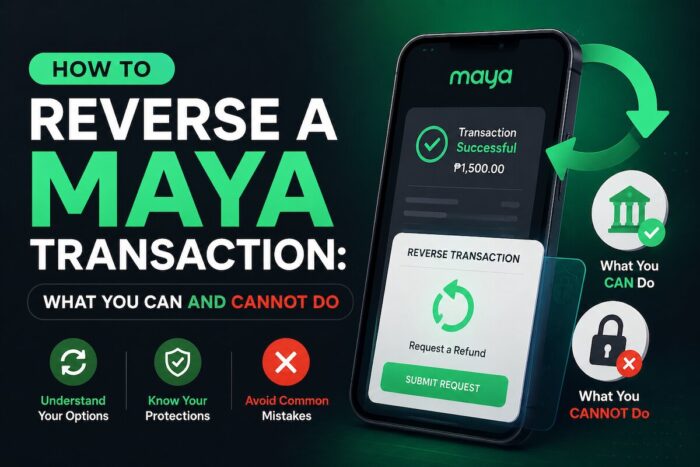
How to Reverse a Maya Transaction: What You Can and Cannot Do
The important thing to understand is that you generally cannot simply cancel a completed Maya transaction yourself. Once a payment or transfer has been confirmed, Maya may treat it as final. However, depending on the type of transaction and circumstances, you may still report it and request an investigation, reversal, refund, or recovery of funds.
Maya may make reasonable efforts to recover, reverse, hold, recall, or preserve disputed funds when appropriate, but recovery is not guaranteed.
Can You Reverse a Maya Transaction?
Sometimes, but there is no universal “undo” button for completed transactions.
The possibility of getting your money back depends on several factors, including:
- What type of transaction you made
- Whether the transaction was completed or failed
- Whether you made the error yourself
- Whether the transaction was unauthorized or fraudulent
- Whether the recipient or merchant can return the money
- Whether the funds are still recoverable
- Whether a third-party payment network or financial institution is involved
- The result of Maya’s investigation
Maya distinguishes between legitimate refund or dispute cases and transactions resulting from the user’s own mistake or negligence.
What Happens If You Sent Money to the Wrong Maya Account?
This is one of the most common reasons people ask how to reverse a Maya transaction.
For example, you might accidentally:
- Enter the wrong mobile number
- Select the wrong recipient
- Send ?5,000 instead of ?500
- Transfer money to someone you do not know
- Confirm a transaction before noticing an incorrect recipient
Unfortunately, you should not assume that Maya can automatically pull the money back.
A transfer that was successfully completed because you entered incorrect information may not qualify for a refund. However, you should still report the problem to Maya as soon as possible.
The sooner you report the mistake, the greater the opportunity to investigate the transaction and determine whether the funds can still be recovered.
What You Should Do
- Open the Maya app.
- Go to Profile.
- Tap Get help.
- Open Chat with us.
- Select the appropriate transaction-related concern.
- If the available article does not resolve your issue, select No when asked whether it was helpful.
- Choose Raise a ticket or Chat with an agent.
- Provide the transaction details and supporting evidence.
Have your transaction reference number, recipient information, amount, date, time, and screenshots ready.
Can Maya Cancel a Transfer Before It Is Completed?
A transfer that has not yet been completed may have a different outcome from a successfully completed transaction.
If your transaction is still pending, do not send another payment immediately. First, check the transaction status in your Maya app and determine whether the original transaction is still processing.
A pending transaction may resolve automatically, fail, or complete, depending on the payment channel and circumstances.
If the transaction remains unresolved, contact Maya Support and provide the transaction reference number.
What If the Maya Transaction Failed?
A failed transaction is different from a successful transaction.
For certain Maya services, a failed transaction may result in the amount being returned to your account.
However, do not assume that every failed transaction will be handled in exactly the same way.
Check your:
- Maya balance
- Transaction history
- SMS or in-app confirmation
- Transaction status
- Reference number
If the money was deducted but the transaction failed or the recipient did not receive the funds, report the discrepancy to Maya instead of repeatedly attempting the transaction.
Can You Reverse a Wrong Bills Payment?
This is another situation where prevention is especially important.
Maya’s Bills Pay service states that there is no reversal once a bills payment has been confirmed. Users are therefore advised to double-check their account information before confirming a payment.
For example, if you accidentally pay the wrong account number or the wrong biller, Maya may not be able to simply reverse the payment.
What Can You Do?
Contact Maya Support immediately and explain the mistake.
You should also contact the biller if appropriate. Depending on the biller’s policies, it may be able to help correct or return an incorrectly applied payment.
Prepare:
- Transaction reference number
- Date and time of payment
- Amount paid
- Incorrect account or subscriber number
- Correct account or subscriber number
- Biller name
- Screenshots or receipts
- Any communication with the biller
The more complete your information is, the easier it may be for support to investigate the case.
What If You Were Charged Twice?
A duplicate charge is different from simply changing your mind about a transaction.
If you paid for something and your Maya account was charged more than once, document both transactions and report the duplicate charge.
When reporting a duplicate transaction, include:
- Merchant name
- Purchase date
- Amount
- Transaction reference numbers
- Screenshots of both charges
- Receipt or proof of purchase
- Any communication with the merchant
If the duplicate charge is confirmed after investigation, an appropriate refund or adjustment may be processed in accordance with the applicable transaction rules.
Can You Reverse an Unauthorized Maya Transaction?
Unauthorized transactions should be reported immediately.
This is different from accidentally sending money to the wrong recipient.
If you believe someone accessed your account or made a transaction without your permission, contact Maya as soon as possible and clearly identify it as a suspected unauthorized or fraudulent transaction.
Maya may investigate reported transaction concerns, discrepancies, suspected fraud, and unauthorized transactions. It may also take reasonable steps to recover, reverse, hold, recall, or preserve disputed funds when appropriate.
However, the outcome will depend on the circumstances and evidence available.
If You Suspect Fraud
Act immediately:
- Secure your Maya account.
- Do not share your OTP, PIN, password, card number, or CVV.
- Report the transaction through Maya’s official support channels.
- Change compromised credentials if necessary.
- Keep screenshots and transaction records.
- Provide all requested evidence.
- Monitor your account for additional suspicious transactions.
Maya warns customers never to share their password, OTP, card number, or CVV, even with someone claiming to be a Maya representative.
What You Should Prepare Before Contacting Maya
A complete report can help Maya Support better understand your case.
Prepare the following information:
Transaction Details
- Transaction date
- Approximate time
- Amount
- Transaction type
- Recipient or merchant
- Transaction reference number
- Account or mobile number involved, when applicable
Supporting Evidence
Take screenshots of:
- Transaction confirmation
- Transaction history
- Error messages
- SMS notifications
- Merchant receipts
- Relevant conversations
- Refund requests
- Emails or other correspondence
Keep these records until your case has been completely resolved.
How to Contact Maya About a Transaction Problem
The current Maya support process is available through the app.
Through the Maya App
Go to:
Profile -> Get help -> Chat with us
Choose the topic that best matches your concern. If the available help article does not resolve the issue, select No, then choose Raise a ticket or Chat with an agent.
Maya may send an email response regarding your ticket. More complicated transaction disputes can take longer to investigate.
Maya Customer Hotline
Maya lists the following numbers for app concerns:
(+632) 8845-7788
1-800-1084-57788 – domestic toll-free
*788 – free using Smart
Maya’s hotline is generally available daily from 8 AM to 7 PM, with after-hours assistance for emergencies such as a lost or stolen phone or suspected unauthorized transactions.
Always verify contact details through Maya’s official channels before calling.
How Long Does a Maya Transaction Reversal Take?
There is no single guaranteed processing time for every reversal or dispute.
The resolution period can depend on:
- Nature of the transaction
- Complexity of the case
- Completeness of the information provided
- Applicable regulations
- Payment-network rules
- Involvement of banks or other financial institutions
- Results of the investigation
- Whether the funds remain recoverable
This means you should be cautious of anyone who promises that your money will definitely be returned within a specific number of hours or days.
When Maya May Not Be Able to Return Your Money
There are several situations in which recovery may not be possible.
These can include:
- You intentionally confirmed the transaction
- You entered the wrong recipient information
- You entered the wrong biller or account number
- The recipient has already withdrawn or transferred the money
- The funds have moved through another payment network
- A third-party institution controls part of the transaction
- The transaction does not qualify for a refund or dispute
- Maya’s investigation does not establish fraud or another compensable circumstance
- Applicable laws or payment-network rules prevent recovery
Maya may determine that a transaction is not eligible for a refund when it resulted from the user’s own error or negligence and the funds can no longer be recovered despite reasonable efforts.
Maya Transaction Reversal vs. Refund vs. Dispute
These terms are often used interchangeably, but they can describe different processes.
| Term | What It Generally Means |
|---|---|
| Reversal | A completed transaction is undone or returned |
| Refund | Money is returned following an eligible transaction or merchant arrangement |
| Dispute | You formally challenge a transaction and request an investigation |
| Chargeback | A payment is reversed through applicable card or payment-network procedures |
| Recovery | Efforts are made to retrieve funds that were transferred elsewhere |
The exact process depends on the transaction type and the parties involved.
What You Should NOT Do
When you discover an incorrect Maya transaction, avoid making the situation worse.
Don’t Send Another Payment Immediately
If the first transaction is pending, sending another payment could result in duplicate payments.
Don’t Give Your OTP to Anyone
Never provide your OTP, password, PIN, card number, or CVV to another person.
Don’t Trust “Refund Agents” on Social Media
Scammers may claim they can recover your money if you pay a processing fee or provide your OTP.
Use Maya’s official support channels instead.
Don’t Delete Transaction Evidence
Keep screenshots, receipts, reference numbers, and conversations until your case is resolved.
Don’t Wait Unnecessarily
If you believe a transaction is fraudulent or incorrect, report it immediately. Prompt reporting gives Maya a better opportunity to investigate and determine whether recovery is possible.
What If Maya Denies Your Reversal Request?
A denied request does not necessarily mean you should stop documenting the issue.
First, review the reason for the decision and determine whether you have additional evidence that was not included in your original report.
You can request further assistance or reconsideration where appropriate.
If you need to escalate a complaint, keep your:
- Maya ticket number
- Transaction reference number
- Screenshots
- Previous support responses
- Dates of communication
- Supporting documents
- Explanation of what happened
A clear timeline can make your complaint easier to understand.
Tips to Prevent Accidental Maya Transactions
The best way to deal with a mistaken transaction is to prevent it before you press Confirm.
Double-Check the Recipient
Verify the recipient’s name and account or mobile number before completing the transfer.
Check the Amount
Read the amount carefully, especially when sending large payments.
Review Bills Carefully
Before paying a bill, confirm the:
- Biller
- Account number
- Subscriber number
- Amount
Save Your Receipts
Keep transaction confirmations, particularly for large transfers and important payments.
Secure Your Account
Never share your:
- OTP
- Password
- PIN
- Card number
- CVV
Also, be cautious about links, messages, and calls that ask you to “verify” your Maya account.
Frequently Asked Questions
Can I cancel a Maya transfer after confirming it?
Generally, you cannot simply cancel a completed transfer yourself. Maya may investigate a reported transaction and may make reasonable efforts to recover or reverse funds when appropriate, but recovery is not guaranteed.
I sent money to the wrong number. Can I get it back?
You should report the mistake to Maya immediately. However, because the error originated from the sender, a refund or reversal is not guaranteed.
Can I reverse a wrong Maya Bills Payment?
Maya’s Bills Pay service states that no reversal is possible once a payment has been confirmed. Contact Maya and the biller as soon as possible if you made an error.
What if my transaction failed but my money was deducted?
Check your transaction status and balance first. If the amount does not return or the transaction remains unresolved, report it to Maya with the transaction reference number.
What if someone used my Maya account without permission?
Report it immediately as an unauthorized or suspected fraudulent transaction. Maya may investigate the transaction and evaluate the available evidence and circumstances.
How do I contact Maya Support?
Through the app, go to Profile -> Get help -> Chat with us. You can raise a ticket or chat with an agent if the available help article does not resolve your issue.
Is a Maya transaction automatically reversible if I made a mistake?
No. A mistaken transaction is not automatically reversible. The outcome depends on the transaction type, circumstances, availability of the funds, applicable rules, and Maya’s investigation.
Final Takeaway
A completed Maya transaction generally cannot be canceled with a simple tap. If you sent money to the wrong person, paid the wrong account, or made another mistake, report the transaction to Maya immediately and provide complete documentation. A reversal or refund may be possible in certain circumstances, but it is not guaranteed, particularly when the transaction was confirmed by the account holder and resulted from an input error.
For unauthorized, fraudulent, duplicate, failed, or merchant-related transactions, the situation may differ and may qualify for investigation or a formal dispute. The key is to act quickly, preserve your evidence, use only official Maya support channels, and never share your OTP or other security credentials.
Follow and subscribe to OutofTownBlog.com on Facebook, Twitter, Instagram, Pinterest, and YouTube for more Travel-related updates.
Read:
- Discover Asia’s Best with the Maya Card
- How to Cancel or Reverse a GCash Transaction
- How to Report a GCash Scam or Unauthorized Transaction