

 Melo Villareal
A practical guide to recovering access, understanding account holds, and protecting your GCash wallet
For many Filipinos, GCash is more than a mobile wallet. It is used to receive salaries and remittances, pay bills, transfer money, shop online, and manage other financial services. That makes losing access to a GCash account especially stressful.
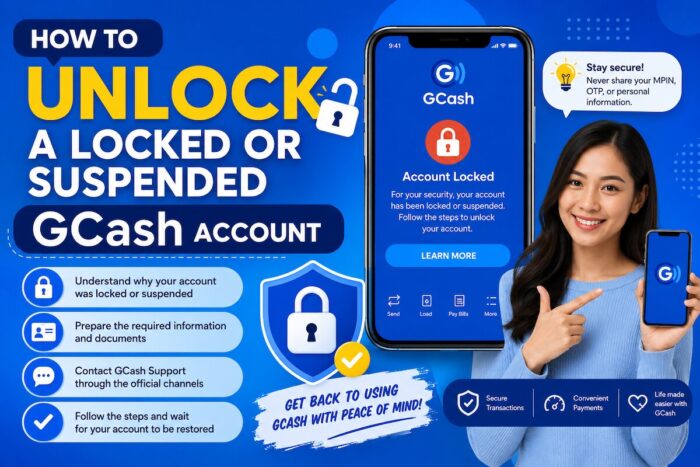
How to Unlock a Locked or Suspended GCash Account
The good news is that a locked account is not necessarily the same as a suspended or permanently deactivated account. The recovery process depends largely on why access was restricted in the first place.
GCash provides different procedures for accounts that were deliberately locked through its security feature, accounts placed on hold, accounts affected by a lost phone or SIM report, and Basic accounts that were suspended because they were not fully verified.
Locked vs. Suspended vs. On-Hold: What’s the Difference?
The first step is identifying what happened to the account.
Temporarily Locked Account
A GCash user can intentionally lock an account using the Lock My Account feature. This is designed as a security measure, particularly when a user suspects that someone may have access to their phone, SIM, or account.
A locked account cannot be accessed until it is unlocked through GCash’s recovery process.
Account on Hold
An account may display the message “Your account is on hold.” This is a different situation and can have several possible causes.
GCash advises users to check their email, including the spam folder, for an account-related notice. Users who received a notice concerning account deactivation under GCash’s Terms and Conditions may need to follow the instructions contained in that email.
Suspended Account
A suspension can occur for different reasons. One example is a Basic GCash account that has not been fully verified within the required period. Such accounts may be restricted or suspended, with specific procedures available to access remaining funds.
Permanently Deactivated Account
Deactivation is more serious than a temporary lock. An account deactivated due to prolonged inactivity cannot simply be reactivated; the user may need to register again with the same mobile number, subject to the applicable process.
This distinction matters because there is no single “unlock” procedure that works for every restricted account.
How to Unlock a GCash Account You Temporarily Locked
If you personally used GCash’s Lock My Account feature, recovery is relatively straightforward.
For Fully Verified users, the process generally involves:
- Open the GCash app.
- Go to the Help Center from the login page.
- Search for “Unlock My Account.”
- Open the relevant support option and chat with Gigi, GCash’s support assistant.
- Complete the identity-verification process.
- Once your identity is verified, wait for confirmation that the account has been unlocked.
- Check your registered email for the confirmation.
For Basic account users, the process also starts through the Help Center and Gigi. GCash may create a support ticket and send an email update regarding the account-unlock request.
Why Verification Is Important
Because a GCash wallet contains money and financial information, support cannot simply remove a security lock based on a user’s claim of ownership.
Be prepared to provide information to help GCash verify that you are the legitimate account holder. Avoid submitting altered, incomplete, blurry, or inconsistent documents.
What If Your GCash Account Says “On Hold”?
If you see “Your account is on hold,” don’t repeatedly attempt to log in or create replacement accounts before determining the reason for the restriction.
Start by checking your registered email address and spam folder for a message from GCash.
You should also check your SMS messages. Some users may receive a notification explaining that their account was placed on hold as part of a routine verification process.
If there is no relevant email or SMS, contact GCash support through Gigi and identify the issue as an “Account on Hold.”
Don’t Assume an On-Hold Account Is Permanently Closed
An account hold can result from various circumstances, so the appropriate solution depends on the specific reason for the hold.
The safest approach is to use GCash’s official support process rather than relying on social media posts, unofficial “fixes,” or third-party individuals who claim they can unlock the wallet.
What If Your Account Was Suspended Because It Wasn’t Verified?
Verification is particularly important for Basic accounts.
GCash says accounts that are not verified within 12 months of registration can become restricted. If the account has a remaining balance, it may be suspended, and GCash provides a process for claiming those funds.
Depending on the circumstances, users may be able to:
- Verify the existing account; or
- Create a new GCash account and request the transfer of the remaining funds.
If you still have access to the account’s verification process, GCash’s standard verification procedure involves going to Profile > Verify Now, entering the required information, submitting a valid government ID, and completing a selfie scan.
What If Verification Keeps Failing?
Common verification problems include:
- Blurry selfies
- Poor lighting
- An unclear or cropped ID
- An expired ID
- Information on the ID that does not match the information entered in GCash
- Documents that cannot be properly verified
GCash may allow users to resubmit after certain verification errors. If additional documents are requested, submit them within the period specified by GCash.
A failed verification does not automatically mean you should create another account. First determine why the verification failed and follow the correction or support procedure provided by GCash.
What If Your Phone or SIM Was Lost?
A lost phone or SIM situation should be treated as a security incident, not simply as a login problem.
If you previously reported a lost phone or SIM and the account was subsequently blocked, the procedure may differ from the standard “Unlock My Account” process.
The priority in this situation is protecting the wallet from unauthorized access.
Do not give your MPIN, one-time password (OTP), authentication codes, or other security credentials to anyone who claims they can recover your account for you.
What If You Received a GCash Deactivation Notice?
A deactivation notice requires special attention.
If you receive an official GCash email concerning account deactivation, carefully read the instructions and follow the required procedure.
For certain deactivation cases under GCash’s Terms and Conditions, the process may include completing documentation before remaining funds can be released.
This is why users should not ignore official GCash emails about account restrictions or deactivation.
How to Prepare Before Contacting GCash Support
Having the necessary information ready can make the recovery process easier.
Prepare:
- Your registered GCash mobile number
- Your full name as registered on the account
- Your registered email address, if applicable
- A valid government-issued ID if requested
- Relevant GCash emails or SMS notifications
- Details about when the problem started
- The exact error or message displayed in the app
- Information about any recent lost-phone, lost-SIM, or security incident
Keep your explanation factual and consistent with the information on your account.
If your account was recently used for an unusual transaction, also review your transaction history and report anything you do not recognize through GCash’s official support channels.
How Long Does GCash Account Recovery Take?
The timeframe depends on the type of restriction.
For a Fully Verified account that was temporarily locked, GCash says it can be unlocked after the identity verification process is completed.
For Basic accounts requesting an unlock, GCash has stated that users may receive an email update within 24-48 hours.
Verification-related requests have separate processing timelines. Depending on the situation, users may need to wait several days for an update.
These are support or processing timeframes, not guarantees that every account will be restored within that period.
What You Should Never Do When Your GCash Account Is Locked
A locked or suspended wallet can leave users vulnerable to scams, as they may be desperate to regain access.
Don’t Share Your OTP
An OTP is a security credential. Never disclose it to anyone who claims it is required to unlock your account.
Don’t Reveal Your MPIN
Your MPIN should remain private. GCash support should not require you to disclose your MPIN to another person.
Don’t Pay Someone Who Promises Instant Recovery
Be suspicious of people on Facebook, Messenger, TikTok, Telegram, or other platforms who claim to be “GCash agents” and offer to unlock accounts for a fee.
Don’t Send Your ID to Random Accounts
Identity documents should only be submitted through legitimate GCash channels and processes.
Don’t Create Multiple Replacement Accounts Without Understanding the Consequences
Creating another account may not solve the underlying restriction and could complicate the process of recovering funds or verifying ownership.
Don’t Repeatedly Guess Your Credentials
If you’re experiencing a security-related restriction, follow the official recovery process rather than repeatedly attempting to bypass it.
A Safer Recovery Strategy
The most effective way to approach a locked or suspended GCash account is to work backward from the reason for the restriction:
Locked using Lock My Account?
? Use the GCash Help Center and Gigi’s Unlock My Account process.
Account says “on hold”?
? Check your email and SMS for the reason, then contact GCash support if necessary.
Basic account suspended because it wasn’t verified?
? Follow the verification or suspended-funds recovery process.
Lost phone or SIM?
? Follow GCash’s dedicated lost-device or SIM procedure.
Received an account deactivation notice?
? Follow the instructions in the official GCash email.
Suspect unauthorized activity?
? Treat it as a security incident and contact GCash through its official support channels.
Users should always check GCash’s latest official support instructions, as account recovery procedures can change.
Frequently Asked Questions
Can I unlock my GCash account myself?
If you temporarily locked the account using GCash’s Lock My Account feature, you can start the unlocking process through the Help Center on the GCash login page and chat with Gigi. Identity verification may be required.
How do I unlock a Fully Verified GCash account?
Open the GCash app, go to the Help Center from the login page, search for “Unlock My Account,” and chat with Gigi. Complete the requested verification steps.
How long does it take to unlock a Basic GCash account?
GCash has stated that Basic users who request an unlock through Gigi may receive an email update within 24 to 48 hours.
Why does my GCash account say “Your account is on hold”?
There are several possible reasons. Check your registered email and SMS for information about the hold. If you did not receive an explanation, contact GCash support through Gigi and identify the issue as an account hold.
Can I access the money in a suspended GCash account?
It depends on the type of suspension. For suspended Basic accounts that were not verified within the required period, GCash provides procedures that may allow users to verify the existing account or create a new account and request a transfer of remaining funds.
What happens if I don’t verify my GCash account?
GCash says an account that remains unverified for 12 months can become restricted. Depending on the account’s balance and circumstances, it may subsequently be suspended or closed under the applicable rules.
What should I do if my GCash verification fails?
Check the reason given by GCash. Common problems include poor selfie quality, an unclear or expired ID, or mismatched information. Correct the issue and resubmit when permitted.
Can I recover a permanently deactivated GCash account?
Not necessarily. Accounts deactivated because of prolonged inactivity may not be reactivated. In some cases, users may need to register again using the same mobile number. Other types of deactivation may have their own procedures.
What if I lost the phone with my GCash account on it?
Use GCash’s dedicated lost-phone or lost-SIM procedure. A phone- or SIM-related block is handled differently from an account that was voluntarily locked through the Lock My Account feature.
Can GCash support ask me for my personal information?
GCash may require information or documents to verify that you are the account owner. However, users should only provide sensitive information through legitimate GCash channels. Never give your OTP or MPIN to an individual who claims they can unlock your account.
Is there a way to bypass a GCash suspension?
There is no legitimate shortcut for bypassing an account restriction. The appropriate solution is to determine why the account was locked, held, suspended, or deactivated and follow GCash’s official recovery process.
Final Takeaway
A locked GCash account does not automatically mean your wallet or funds are gone. The key is to identify the type of restriction before taking action.
For a temporary security lock, use the official Unlock My Account process. For an account hold, check your email or SMS for the reason, and contact GCash support if necessary. For verification-related suspension, complete the appropriate verification or funds-recovery procedure.
Most importantly, don’t let the urgency of getting your wallet back push you into sharing sensitive credentials with strangers. Your MPIN, OTP, and authentication details should remain private.
Because GCash procedures can change, always check the latest official GCash instructions before submitting personal information or taking action on a restricted account.
Follow and subscribe to OutofTownBlog.com on Facebook, Twitter, Instagram, Pinterest, and YouTube for more Travel-related updates.
Read:
- How to Report a GCash Scam or Unauthorized Transaction
- GCASH to MAYA: Guide to Sending Money from GCash to PayMaya (and Vice Versa)
- AirAsia Philippines Alerts Travelers to Fake Customer Service Scams
- BPI to GCASH: How to Transfer Money from BPI Account to GCash
- How to Get a GCASH Visa Card: A Step-by-Step Guide
- How to Fully Verify Your GCash Account