

 Team Out of Town
How to Book Your First JoyRide Motorcycle Taxi — Quick Tips for New Riders
Motorcycle taxis have changed the way many Filipinos get around. In traffic-heavy cities like Metro Manila, Cebu, and Cagayan de Oro, they offer a faster and more flexible alternative to cars, buses, and jeepneys. Instead of sitting for hours in gridlock, you can weave through traffic with a trained rider-partner and reach your destination in a fraction of the time.
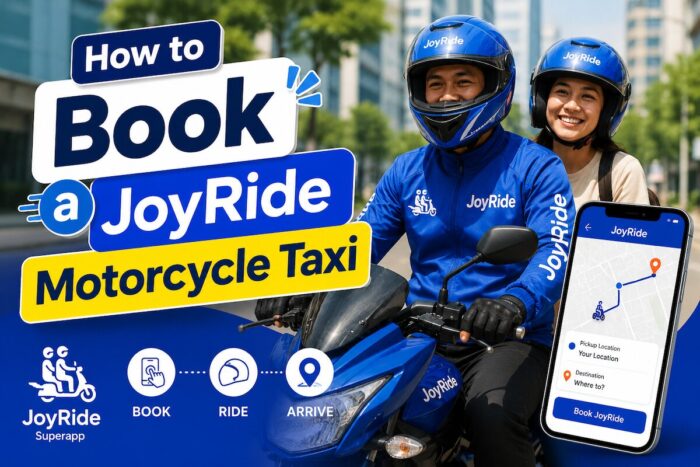
How to Book a JoyRide Motorcycle Taxi
Among the top motorcycle ride-hailing platforms in the Philippines, JoyRide has become a trusted choice for commuters seeking convenience, affordability, and reliability. Through its easy-to-use app, you can book a motorcycle taxi in just a few taps, track your rider in real time, choose how you want to pay, and enjoy a safer ride with accredited rider-partners.
If you’ve never tried a motorcycle taxi before, the process might feel a bit intimidating. But don’t worry—JoyRide is designed with beginners in mind. This step-by-step guide walks you through the entire booking process and shares practical tips and safety reminders so you can confidently book your very first JoyRide motorcycle taxi.
What Is JoyRide?
JoyRide is a homegrown Philippine ride-hailing platform that connects passengers with accredited motorcycle taxi rider-partners through its mobile app. While it first became popular for motorcycle taxis, the platform has since expanded to offer car rides, courier services, and delivery solutions in select areas.
Motorcycle taxis are becoming more and more popular because they provide a practical answer to one of the country’s biggest daily problems: heavy traffic. Unlike cars and buses that often crawl during rush hour, motorcycles can move through congested roads more efficiently while still following traffic rules.
JoyRide’s rider-partners go through training and must meet operational and safety standards before they can accept passenger bookings. This helps give commuters extra confidence every time they ride.
Why Choose JoyRide?
There are many reasons why thousands of commuters open the JoyRide app every day.
The biggest advantage is time. During peak hours, a car trip that could easily take two hours may be significantly shorter on a motorcycle taxi.
Other benefits include:
- Faster travel through heavy traffic
- Competitive and affordable fares
- Convenient app-based booking
- Professional, trained rider-partners
- GPS tracking for every trip
- Cash and cashless payment options
- Digital trip records
- Easy communication with riders through the app
For office workers, students, tourists, and business travelers, JoyRide offers a dependable way to get around while making the most of precious time.
Step 1: Download the JoyRide App
Your JoyRide experience starts with downloading the official app.
It’s available for both Android and iOS users via:
Once the app is installed, open it and allow access to your phone’s location. This is important because JoyRide uses GPS to detect your pickup point and find nearby rider-partners.
It’s also a good idea to keep the app updated so you always have the latest features, security improvements, and performance enhancements.
Step 2: Create Your JoyRide Account
Setting up your account only takes a few minutes.
Enter your mobile number and verify it using the one-time password (OTP) sent via SMS. After verification, you’ll be asked to provide basic details, such as your name and email address.
Your registered mobile number becomes your main account identifier, making it easier for riders to contact you when needed.
You can also add your preferred payment methods during registration, but you can skip this step and set them up later.
With a verified account, you can:
- View your booking history
- Save favorite destinations
- Receive promos and discounts
- Manage your personal information
Step 3: Turn On Location Services
Accurate GPS is crucial for a smooth booking experience.
When you open the app, JoyRide automatically tries to detect your current location and drops a pin on the map. Before you confirm any booking, double-check that the pin shows exactly where you’re waiting.
If you’re inside a mall, office, condo, or hotel, you may need to adjust the pickup point manually to the nearest entrance or designated loading area where motorcycles are allowed to stop safely.
A clear and accurate pickup location helps prevent delays and avoids confusion between you and your rider.
Step 4: Enter Your Destination
Once your pickup location is set, type your destination into the search bar.
The app will then calculate key details, such as:
- Estimated travel distance
- Estimated travel time
- Suggested route
- Estimated fare
- Available riders nearby
If you’re heading to a popular place—like a mall, airport, hotel, or office building—the app may automatically suggest the exact location, making things even easier.
Take a moment to review your chosen destination and make sure it’s correct before moving on.
Step 5: Review the Fare Estimate
One of the things riders appreciate about JoyRide is fare transparency.
Before you confirm your booking, the app shows an estimated fare based on several factors:
- Base fare
- Total distance
- Expected travel time
- Current traffic conditions
- Demand during peak hours
- Any applicable booking fees
This helps you know roughly how much you’ll pay before the ride even starts—no surprises when you arrive.
If you have promo vouchers or discount codes, this is also the best time to apply them.
Step 6: Choose Your Payment Method
JoyRide lets you choose how you want to pay for your trip.
Depending on your location and account setup, you may see options like:
- Cash
- Digital wallets
- Linked electronic payment methods
Selecting your preferred payment method before you book helps make payment quick and hassle-free once your ride ends.
Step 7: Confirm Your Booking
After reviewing your trip details, simply tap the Book button.
JoyRide will then search for nearby rider-partners who are available.
While the app is matching you with a rider, you’ll see a loading or searching screen. Most of the time, a rider accepts within a few minutes. However, waiting times may be longer during heavy rain,
rush hour, holidays, or when demand is unusually high.
Step 8: Wait for a Rider to Accept
Once a rider accepts your booking, the app will show you important trip details, including:
- Rider’s full name
- Rider’s profile photo
- Motorcycle brand and model
- Plate number
- Estimated arrival time
- Live GPS tracking
You’ll also see your rider approaching your pickup point on the map.
If needed, you can send a message or call your rider through the app to clarify directions or landmark details.
Step 9: Verify Your Rider
Before you hop on the motorcycle, take a moment to confirm that everything matches what you see in the app.
Check the rider’s:
- Name
- Profile photo
- Plate number
- Motorcycle
Never board a motorcycle that doesn’t match the details in your booking.
This simple step is one of the most important safety habits you can develop as a passenger.
Step 10: Wear Your Safety Helmet Properly
Every JoyRide passenger is provided with a helmet before the trip starts. Many rider-partners also offer disposable hair caps for added hygiene.
Before your ride begins:
- Adjust the helmet so it fits snugly.
- Fasten the chin strap securely.
- Make sure your vision is clear and unobstructed.
If the helmet feels loose, too tight, or uncomfortable, let your rider know so they can help you adjust it.
A properly fitted helmet dramatically improves your safety while on the road.
Step 11: Enjoy a Safe and Comfortable Ride
Once you’re on the road, sit comfortably and maintain good posture throughout the trip.
For a safer ride:
- Keep both feet on the motorcycle footrests.
- Hold onto the passenger handgrip or grab bar.
- Avoid sudden movements.
- Don’t distract the rider while they’re driving.
- Secure your phone and valuables.
- Avoid extending your arms or legs out to the side.
Your trip is tracked in real time through the app, so you and your loved ones can monitor the journey if needed.
Step 12: Arrive and Settle Your Payment
When you reach your destination, wait for the motorcycle to come to a complete stop before getting off.
If you’re paying in cash, try to prepare the exact amount to make the transaction go more smoothly.
For cashless payments, the app will process the payment automatically using your selected method.
After your ride, JoyRide generates a digital receipt that includes:
- Pickup location
- Destination
- Trip duration
- Distance traveled
- Total fare
- Date and time of travel
These records can be useful if you’re tracking expenses or filing for business reimbursements.
Step 13: Rate Your Experience
JoyRide encourages passengers to rate every completed trip.
Your feedback helps maintain service quality and recognizes rider-partners who consistently deliver great service.
You might want to evaluate:
- Courtesy and professionalism
- Safe driving habits
- Cleanliness of the helmet and other safety gear
- Navigation and route choices
- Overall riding experience
Honest, constructive comments also help JoyRide continue improving its services.
Helpful Tips for First-Time JoyRide Users
If it’s your first time riding a motorcycle taxi, these simple tips can help make your experience smoother and more enjoyable.
Choose a Visible Pickup Point
Instead of requesting pickup in the middle of a busy road, wait at a spot that’s easy for motorcycles to access—like a mall entrance, office lobby driveway, gas station, or designated loading area. This minimizes confusion and lets your rider stop safely.
Be Ready Before You Book
Only request a ride when you’re already prepared to leave. Riders usually arrive within a few minutes, and being ready helps avoid unnecessary waiting or cancellations.
Double-Check Your Pickup Pin
A misplaced map pin is one of the most common reasons riders have trouble finding passengers. Zoom in on the map and confirm that your pickup point accurately reflects your location before you tap Book.
Keep Your Phone Accessible
After booking, keep your phone nearby and your volume turned up. Watch out for notifications, calls, or messages from your rider so you can quickly answer questions about your exact location.
Dress Comfortably
Wear clothes that let you sit comfortably on a motorcycle. Closed-toe shoes are ideal, especially for longer trips, because they provide better support and protection for your feet.
Travel Light
Motorcycle taxis work best for passengers carrying light items like backpacks, handbags, or laptop bags. Large suitcases, big boxes, or very bulky items may not fit safely and can make the ride uncomfortable or even unsafe.
Essential JoyRide Safety Tips
Motorcycle taxis are convenient, but safety should always come first. Keep these simple practices in mind:
- Always verify your rider’s identity before boarding.
- Wear the provided helmet properly and keep it on throughout the ride.
- Share your trip details with a trusted friend or family member when traveling alone.
- Avoid distracting the rider while the motorcycle is moving.
- Keep your valuables secure and out of sight.
- Follow your rider’s instructions, especially in traffic or tricky road situations.
- Report any safety concerns through the app after your trip.
What If You Can’t Book a JoyRide?
There may be times when you have trouble booking a motorcycle taxi. Common reasons include:
- No available riders nearby
- Very high demand in your area
- Inaccurate GPS location
- Weak or unstable internet connection
If this happens, you can:
- Refresh the app
- Move to a nearby, more accessible pickup point
- Wait a few minutes, then try booking again
Avoid sending multiple booking requests one after another, as this can cause delays or confusion in the system.
Is JoyRide Worth Using?
For millions of commuters seeking a faster, more convenient way to navigate busy city streets, JoyRide has become one of the most practical options in the Philippines.
The app simplifies every part of your trip—from booking and rider matching to real-time tracking and payment—making it especially user-friendly for first-time users.
Whether you’re heading to work, going to the airport, meeting friends, or exploring a new part of the city, JoyRide offers a blend of speed, affordability, and convenience that traditional transport often can’t match during peak hours.
By following the simple booking steps, double-checking your rider’s details, and observing basic safety practices, you’ll be ready to enjoy a smooth, efficient, and comfortable motorcycle taxi experience—even on your very first JoyRide.
Frequently Asked Questions (FAQ)
1. How do I book a JoyRide motorcycle taxi?
To book a JoyRide motorcycle taxi, download the JoyRide app from the Google Play Store or Apple App Store, create an account using your mobile number, enable your phone’s location services, enter your pickup point and destination, choose your preferred payment method, and tap the Book button. The app will then match you with the nearest available rider-partner.
2. Do I need to create an account before booking a JoyRide?
Yes. You must register for a JoyRide account using a valid mobile number before you can book a ride. Registration takes only a few minutes and gives you access to ride history, payment options, and promotional offers.
3. Is the JoyRide app free to download?
Yes. The JoyRide mobile app is free to download for both Android and iOS devices. There are no registration fees for creating an account.
4. How does JoyRide calculate the fare?
JoyRide calculates fares based on several factors, including the base fare, travel distance, estimated travel time, current traffic conditions, and demand. The app displays an estimated fare before you confirm your booking.
5. Can I see the fare before confirming my ride?
Yes. One of JoyRide’s convenient features is fare transparency. Before booking, the app shows an estimated fare so you can decide whether to proceed with your trip.
6. What payment methods does JoyRide accept?
Depending on your location and the latest app features, JoyRide may accept cash, digital wallets, and other cashless payment methods linked to your account.
7. How long does it take for a rider to accept my booking?
In most cases, riders accept bookings within a few minutes. However, waiting times may be longer during rush hour, in bad weather, on holidays, or during periods of high demand.
8. How do I know if I’ve found the correct JoyRide rider?
Before boarding, verify that the rider’s name, profile photo, motorcycle model, and plate number shown in the app match. Never ride with someone whose details do not match your booking information.
9. Does JoyRide provide helmets for passengers?
Yes. JoyRide rider-partners provide a safety helmet for every passenger before the ride begins. Many riders also provide disposable hair caps for added hygiene.
10. Is it safe to ride a JoyRide motorcycle taxi?
JoyRide prioritizes passenger safety by requiring rider-partners to undergo training and follow safety standards. Passengers should always wear the provided helmet, verify the rider’s identity, and follow safety instructions throughout the trip.
11. Can I book a JoyRide for someone else?
Yes, in many cases, you can book a ride on behalf of another person by entering their pickup and drop-off locations. Make sure the passenger knows the rider’s details and expected arrival time.
12. Can I cancel my JoyRide booking?
Yes. You can cancel your booking through the app. However, cancellation fees may apply depending on when you cancel and whether a rider has already accepted your request.
13. Why can’t I book a JoyRide motorcycle taxi?
You may be unable to book a ride because there are no available riders nearby, demand is unusually high, your GPS location is inaccurate, your internet connection is unstable, or the service is temporarily unavailable in your area.
14. What should I do if my rider cannot find me?
Stay at your selected pickup point and keep your phone nearby. If your rider calls or sends a message, respond promptly and provide additional directions if necessary. You can also adjust your pickup location if needed.
15. Can I change my destination after booking?
Depending on the app’s current features and your ride status, you may be able to update your destination or discuss changes with your rider. Significant route changes may affect the final fare.
16. Can I schedule a JoyRide ride in advance?
Advance booking or ride scheduling may be available for selected services and locations. Check the JoyRide app to see if this feature is supported in your area.
17. Can I use promo codes or vouchers on JoyRide?
Yes. If you have an eligible promo code or voucher, enter it before confirming your booking to receive the applicable discount on your ride.
18. Can I bring luggage on a JoyRide motorcycle taxi?
You may bring small personal belongings such as backpacks, handbags, laptop bags, or shopping bags. Large suitcases or oversized items are generally not recommended because they may affect safety and rider balance.
19. What happens if I leave an item on the motorcycle?
If you accidentally leave an item behind, contact your rider immediately through the app if possible. You can also report the incident to JoyRide customer support for assistance in recovering your belongings.
20. Can I share my trip with family or friends?
Yes. Depending on the app’s available features, you may be able to share your ride details or real-time trip information with trusted family members or friends for added peace of mind.
21. Do I need mobile data or internet access to use JoyRide?
Yes. A stable internet connection is required to book a ride, track your rider, receive notifications, and communicate through the app.
22. Is JoyRide available throughout the Philippines?
JoyRide operates in selected cities and service areas across the Philippines. Coverage continues to expand, but availability depends on your location.
23. Can tourists use JoyRide?
Yes. Both local residents and international visitors can use JoyRide as long as they have a compatible smartphone, a registered account, and access to the app’s service areas.
24. What should I wear when riding a JoyRide motorcycle?
Wear comfortable clothing that allows you to sit safely on the motorcycle. Closed-toe shoes are recommended for better protection and comfort, especially on longer trips.
25. What should I do if I experience a problem during my JoyRide trip?
If you encounter any issues before, during, or after your ride, use the Help or Support section in the JoyRide app to report the concern. You can also rate your ride and provide feedback to help improve the service.
Follow and subscribe to OutofTownBlog.com on Facebook , Twitter, Instagram, Pinterest, and YouTube for more Travel-related updates.
Read:
- Guide to Motorcycle Registration in the Philippines
- How to Renew Your Motorcycle Registration in the Philippines