

 Melo Villareal
Cebu Pacific Manage Booking Guide: How to Change Your Flight, Update Passenger Details, and Add Baggage
Cebu Pacific Manage Booking makes it easier to make common changes after you purchase a flight. Instead of starting a new reservation, passengers can use the airline’s website or mobile app to manage an existing booking.
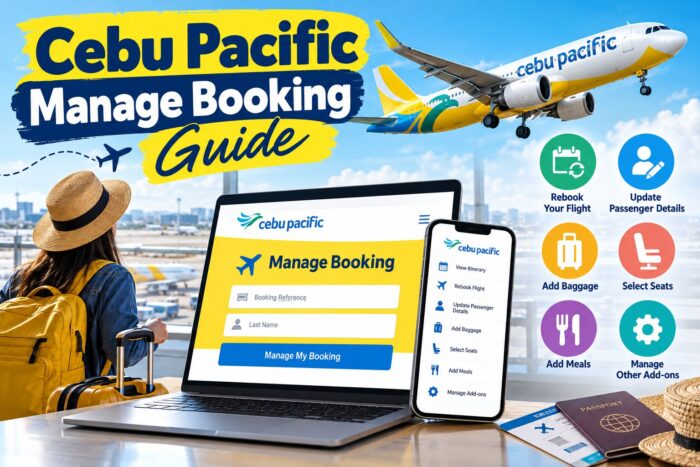
Cebu Pacific Manage Booking Guide
Depending on the booking, you can rebook your flight, update certain passenger information, add checked baggage, select seats, purchase meals, and manage other add-ons.
For Filipino travelers, Manage Booking can be especially useful when travel plans change, luggage gets heavier, or passenger information needs correction.
What Is Cebu Pacific Manage Booking?
Cebu Pacific Manage Booking is the airline’s online system for handling an existing reservation.
Depending on your booking, you can use it to:
- View your itinerary
- Rebook your flight
- Update certain passenger details
- Add checked baggage
- Upgrade your baggage allowance
- Select seats
- Purchase meals
- Manage other add-ons
- Link an existing booking to your account
- Retrieve your itinerary receipt
Cebu Pacific currently allows eligible booking changes through Manage Booking up to two hours before the scheduled departure time.
What You Need Before Managing Your Booking
Prepare the following before accessing your reservation:
- Your six-digit booking reference number
- The passenger’s last name or registered email address
- Your MyCebuPacific account
- Your preferred new flight, if rebooking
- A payment method if additional charges apply
You can find your booking reference on your Cebu Pacific itinerary receipt.
How to Access Cebu Pacific Manage Booking
Using the Cebu Pacific Website
Log in to your MyCebuPacific account and go to Manage Booking.
Select the reservation you want to modify and review the available options.
Using the Cebu Pacific App
Open the Cebu Pacific mobile app and sign in to your MyCebuPacific account.
Go to your bookings and select the reservation you want to manage.
The app layout may change as Cebu Pacific updates its digital services, so button names or placements may vary.
How to Add or Link an Existing Booking
If you made your reservation without logging in, it may not automatically appear in your MyCebuPacific account.
You can usually link the reservation by:
- Logging in to your MyCebuPacific account.
- Going to Manage Booking.
- Selecting the option to add another booking.
- Entering your six-digit booking reference.
- Entering the passenger’s last name or registered email address.
- Following the instructions to link the reservation.
Make sure the information matches your booking details.
How to Rebook a Cebu Pacific Flight Online
Cebu Pacific allows eligible passengers to change their flight through Manage Booking.
Steps to Rebook
- Log in to your MyCebuPacific account.
- Open Manage Booking.
- Select the reservation.
- Choose Rebook Flight.
- Select the flight you want to change.
- Choose your preferred new date and flight.
- Review the new schedule.
- Check your existing add-ons.
- Review the total amount.
- Pay any applicable fare difference or change fee.
- Confirm the transaction.
Cebu Pacific currently allows voluntary rebooking up to two hours before the scheduled departure time.
The airline’s current rules do not allow passengers to change the destination or flight sequence through the standard voluntary rebooking process.
Does Cebu Pacific Charge a Rebooking Fee?
A rebooking transaction can involve a change fee and fare difference.
The amount depends on your original booking, the new flight, and the applicable fare conditions.
Always check the final amount displayed before confirming the transaction.
If Cebu Pacific changes or disrupts your flight, separate options and policies may apply.
Can You Change Your Cebu Pacific Destination?
Standard voluntary rebooking does not allow you to change your destination or the sequence of your flights.
If you need to travel to a completely different destination, you may need to make a new booking or contact Cebu Pacific for available options.
How to Update Passenger Details
You can update some passenger and contact information through Manage Booking.
Depending on the booking, this may include:
- Nationality
- Passport information
- Date of birth
- Salutation
- Contact number
Steps to Update Guest Details
- Log in to MyCebuPacific.
- Open Manage Booking.
- Select your reservation.
- Choose Update Guest Details.
- Edit the applicable information.
- Review the changes.
- Confirm the update.
How to Correct Your Name on a Cebu Pacific Booking
Name corrections have specific conditions.
Cebu Pacific allows passengers to correct either the first or last name within 24 hours of completing the booking through Manage Booking.
You can make the online correction once.
If more than 24 hours have passed, you may need to contact a Cebu Pacific live agent for assistance.
You also cannot simply transfer a booking from one passenger to another.
How to Add Baggage to a Cebu Pacific Booking
You can add checked baggage after purchasing your flight.
You can complete the process through Manage Booking on the Cebu Pacific website or mobile app.
Cebu Pacific Checked Baggage Options
| Fare Bundle | Checked Baggage |
|---|---|
| GO Basic | No checked baggage included |
| GO Easy | 1 piece, 20kg |
| GO Flexi | 1 piece, 20kg |
Your available baggage options may depend on your specific booking.
How to Add Baggage on the Cebu Pacific App
- Open the Cebu Pacific app.
- Log in to MyCebuPacific.
- Go to Manage Booking.
- Select your reservation.
- Choose Manage Add-ons.
- Select CEB Baggage.
- Select the applicable flight.
- Choose the passenger.
- Select the baggage allowance.
- Review the price.
- Proceed to payment.
- Confirm the transaction.
How to Add Baggage on the Cebu Pacific Website
Open your reservation through Manage Booking.
Look for Add or Upgrade Bags or the applicable baggage option.
Select the flight and passenger, then choose your preferred baggage allowance.
Review the total amount before paying.
Can You Upgrade Your Cebu Pacific Baggage Allowance?
Yes.
Passengers with a 20kg checked baggage allowance can purchase additional weight through the available baggage options.
Weight upgrades can include:
- 4kg
- 8kg
- 12kg
A weight upgrade increases the permitted baggage weight. It does not automatically give you another checked baggage piece.
How Many Checked Bags Can You Add?
Cebu Pacific currently allows passengers to purchase up to three checked baggage pieces through its website or mobile app.
Each piece has a base allowance of 20kg.
Additional baggage options may be available at the airport, subject to applicable fees and restrictions.
How to Add Special Baggage
Special baggage is different from regular checked luggage.
It can include:
- Bicycles
- Sports equipment
- Musical instruments
- Surfboards
- Other items requiring special handling
Select the applicable special baggage option when managing your booking and check the airline’s requirements before traveling.
Can You Add Baggage After Booking?
Yes.
You can add or upgrade baggage after purchasing your Cebu Pacific ticket through Manage Booking.
Do this as early as possible, rather than waiting until you reach the airport.
Adding baggage ahead of time also lets you check your allowance and pack accordingly.
What Happens to Your Baggage After Rebooking?
Existing add-ons generally carry over when you rebook.
However, some add-ons may not be available on the new flight. This can include certain seats or meals.
Always review your baggage allowance and other add-ons during the rebooking process.
Can You Add Meals and Seats Through Manage Booking?
Yes.
Depending on your booking, you can purchase additional services through Manage Booking.
These may include:
- Checked baggage
- Meals
- Seat selection
- Special baggage
- Other available add-ons
Available products vary by flight.
What If You Booked Through a Travel Agency or OTA?
Bookings made through travel agencies or online travel agencies can have different rules.
You may be able to view the reservation and purchase some add-ons through Cebu Pacific. However, the agency that issued the booking may need to handle certain changes.
If you cannot modify your reservation online, contact the travel agency you purchased the ticket from or Cebu Pacific’s customer support.
What If Cebu Pacific Does Not Recognize Your Booking?
Check your six-digit booking reference carefully.
Make sure the passenger’s last name or registered email address matches the original reservation.
If you booked while logged out, try linking the booking to your MyCebuPacific account.
If the reservation still doesn’t appear, contact Cebu Pacific customer support.
What If Your Flight Is Less Than Two Hours Away?
Cebu Pacific’s current Manage Booking rules do not allow standard booking changes within two hours of the scheduled departure time.
Don’t wait until the last minute if you already know you need to rebook, update your information, or add baggage.
How to Get Your Updated Cebu Pacific Itinerary
After you successfully change your booking or purchase an add-on, check your updated itinerary.
Review:
- Passenger names
- Travel dates
- Flight numbers
- Departure times
- Origin and destination
- Baggage allowance
- Seat assignment
- Purchased add-ons
Keep a copy of your updated itinerary on your phone and, if possible, save a copy offline.
Cebu Pacific Manage Booking Tips
Make Changes Early
If your travel plans change, manage your booking as soon as possible.
Check the Total Cost
Always review the final amount before confirming a rebooking or purchasing an add-on.
Weigh Your Luggage
Use a luggage scale before leaving home to choose an appropriate baggage allowance.
Review Your New Itinerary
After completing a change, carefully check the updated booking.
Keep Your Booking Reference Private
Your booking reference is important travel information. Avoid posting it publicly.
Use Official Cebu Pacific Channels
Use the official Cebu Pacific website or mobile app to enter your booking information and make payments.
Cebu Pacific Manage Booking Quick Guide
| What You Want to Do | Where to Go |
|---|---|
| View itinerary | Manage Booking |
| Rebook flight | Manage Booking -> Rebook Flight |
| Update passenger details | Manage Booking -> Update Guest Details |
| Add baggage | Manage Booking -> Manage Add-ons |
| Upgrade baggage | Manage Booking -> Baggage |
| Add meals | Manage Booking -> Add-ons |
| Select seats | Manage Booking -> Add-ons |
| Link an existing booking | Manage Booking -> Add Another Booking |
| Retrieve itinerary | Manage Booking -> View Itinerary |
Frequently Asked Questions About Cebu Pacific Manage Booking
1. How do I access Cebu Pacific Manage Booking?
You can access Manage Booking through the Cebu Pacific website or mobile app. Log in to your MyCebuPacific account and select your reservation. If you are linking a reservation that doesn’t automatically appear in your account, you’ll need your booking reference and passenger information. Once you open the booking, available options will depend on the reservation type, flight, and services you purchased.
2. Can I rebook my Cebu Pacific flight online?
Yes. Eligible passengers can rebook their Cebu Pacific flights through Manage Booking. Select the reservation, choose Rebook Flight, select an available new flight, and review the applicable charges before confirming. A fare difference and change fee may apply. Cebu Pacific’s current rules allow voluntary rebooking up to two hours before scheduled departure. Standard voluntary rebooking does not allow you to change the destination or sequence of your flights.
3. How do I add baggage to my Cebu Pacific booking?
Open Manage Booking through the Cebu Pacific website or app and select your reservation. Choose the baggage or Manage Add-ons option, select the flight and passenger, then choose the baggage allowance you need. Review the price before completing payment. Check your updated itinerary afterward to make sure the baggage allowance appears correctly. Adding baggage before you reach the airport gives you more time to pack and confirm the allowance.
4. Can I add baggage after booking my Cebu Pacific flight?
Yes. Cebu Pacific allows passengers to add or upgrade baggage after completing a flight reservation. You can manage the baggage through the website or mobile app, subject to the airline’s applicable rules and cutoff times. Available baggage options depend on the booking. Before adding luggage, check how much baggage is already included in your fare so you don’t buy an allowance you don’t need.
5. Can I change the passenger name on my Cebu Pacific booking?
Cebu Pacific has specific rules for name corrections. You can correct either the first or last name within 24 hours of completing the booking through the available online process. The correction can be made once. If you request a correction after the applicable period, you may need to contact Cebu Pacific’s live support. You cannot transfer a ticket to another person.
6. How late can I change my Cebu Pacific flight?
Cebu Pacific currently allows eligible booking changes through Manage Booking up to two hours before the scheduled departure time. Changes made closer to departure may no longer be available online. If you already know that you need to change your travel plans, complete the transaction as early as possible. This also gives you more flight options and more time to review any applicable fare difference or change fee.
7. What happens to my baggage when I rebook a Cebu Pacific flight?
Existing add-ons generally carry over when you rebook, but you should review them during the transaction. Some products may not be available on your new flight. This can include certain seats or meals. Check your baggage allowance before completing the rebooking process and verify your updated itinerary afterward. If the baggage details do not appear as expected, contact Cebu Pacific support before traveling.
8. Can I manage a Cebu Pacific booking made through an online travel agency?
It depends on the booking and the type of change you need. Some bookings made through authorized travel agencies or online travel agencies can be viewed and may allow certain add-ons to be purchased through Cebu Pacific. Other changes may need to be processed by the agency that issued the ticket. If you can’t modify your reservation through Manage Booking, contact the agency or Cebu Pacific customer support for the appropriate procedure.
9. What should I do if my Cebu Pacific booking does not appear in Manage Booking?
First, check that your six-digit booking reference is correct. Then make sure the passenger’s last name or registered email address matches the original booking. If you purchased the ticket while logged out, try using the Add Booking function to link the reservation to your MyCebuPacific account. If the reservation still does not appear, contact Cebu Pacific customer support and provide your booking details.
10. Can I change my Cebu Pacific destination through Manage Booking?
No. Standard voluntary rebooking does not allow you to change the destination or the sequence of your flight. The rebooking process is intended for selecting another available flight under the applicable conditions. If you need to travel to a different destination, you may need to purchase a new ticket or contact Cebu Pacific to determine whether another option is available for your particular reservation.
Follow and subscribe to OutofTownBlog.com on Facebook , Twitter, Instagram, Pinterest, and YouTube for more Travel-related updates.
Read:
- How Early Should You Arrive at the Airport for a Cebu Pacific Flight?
- BREAKING: Cebu Pacific Increases Hand-Carry Baggage Allowance to 10KG